E-WMS ASP error "The remote server returned an error: (404) Not found"
WMS documentation
Problem
When starting E-WMS on a scanner, following error occurs:
"The remote server returned an error: (404)
Not found."
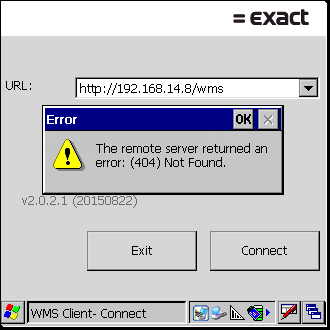
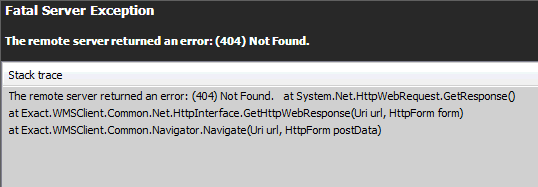
This is still a generic error message, which could be caused by different
reasons.
1. Error occurs in release 411 or higher
When this error occurs after updating to 411 or higher then the cause will
likely be an incorrect IIS configuration.
When accessing the web site in a web browser, more details are shown:
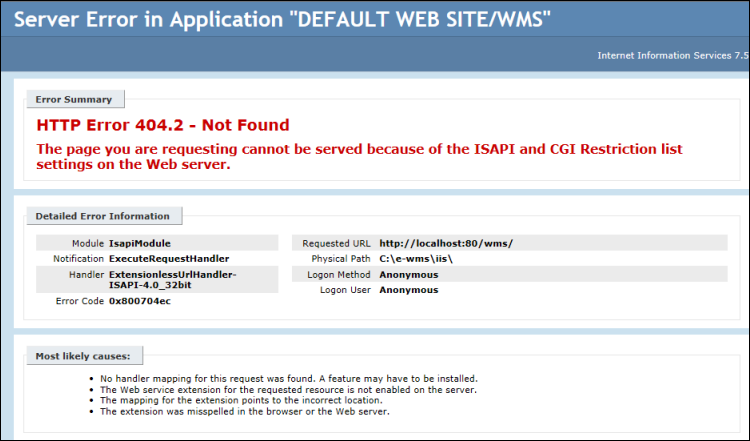
This error will show when your WMS web site is still
configured to run with 'classic pipeline mode', as was required in earlier WMS
releases.
Solution
From release 411, the E-WMS website requires IIS to be configured for
'integrated pipeline mode'. You can read
here how to change this.
2. Using another port than default 80
When the error only shows in WMSclient and not in Internet Explorer than the
cause may be using a specific port to access the website:
http://webserver:81
This is
not supported for WMSclient, since .NET Compact Framework 3.5 cannot support
this.
Solution: use the default port to access the website. Using https is
supported in WMSclient, as long as no extra messages show when accessing the
https website in Internet Explorer.
3. ASP.NET not allowed
Please check whether IIS is 'allowed' to use Microsoft Framework
.NET.
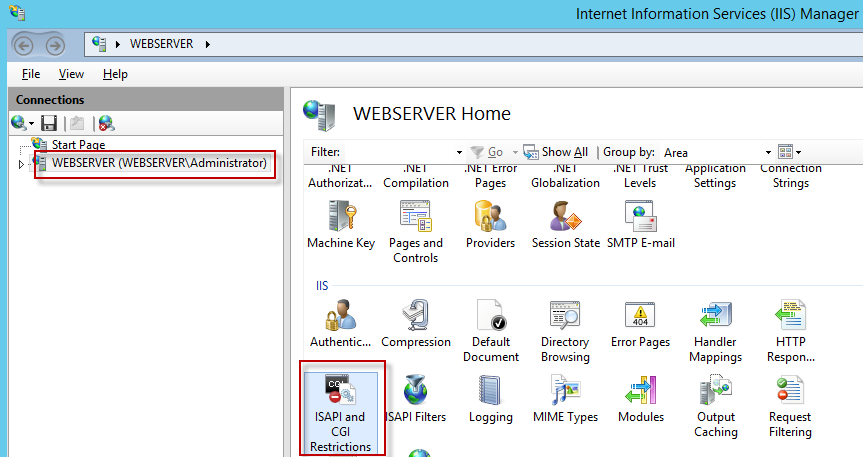
- Start/Settings/Control panel/Administrative tools/Internet Information Services (IIS) Manager (or: Start/Run, INETMGR)
-
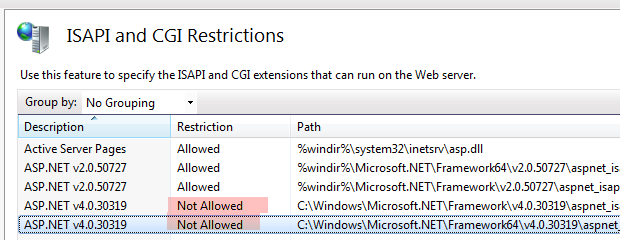
Click on the server name and then select 'ISAPI and CGI Restrictions in the
centre panel
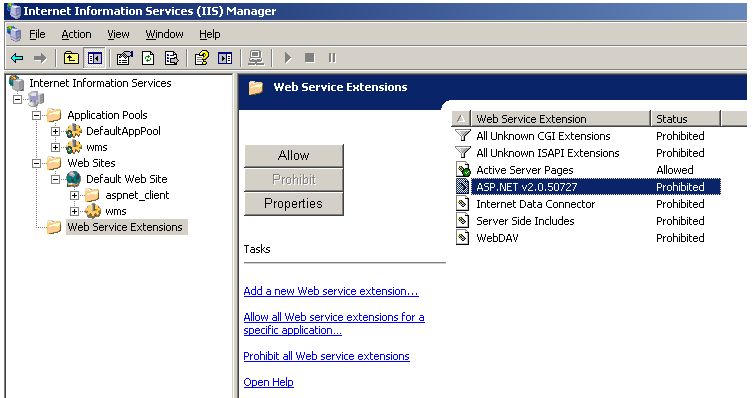
- For release 410 or earlier, make sure 'ASP.NET
v.2.0.50757' is set to 'Allowed'. From release 411, ASP.NET v.4.* needs to
be allowed
Windows server 2008 or 2012 (IIS 7):
- Earlier IIS versions:
Expand the IIS tree to (server name) and choose Web service extensions:
Related documents
| Main Category: |
Support Product Know How |
Document Type: |
Support - On-line help |
| Category: |
On-line help files |
Security level: |
All - 0 |
| Sub category: |
Details |
Document ID: |
26.748.932 |
| Assortment: |
E-WMS
|
Date: |
03-08-2017 |
| Release: |
|
Attachment: |
|
| Disclaimer |