Sales Manual - Printing delivery notes
Printing delivery notes
Introduction
This section describes the process of
printing delivery notes. After the sales orders have been reviewed and
possibly approved, delivery notes can be printed and sent to customers along
with the goods. Printing a delivery note also generates the invoice.
Flowchart
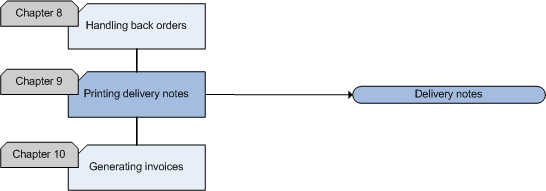
Delivery notes
Delivery notes are documents which are sent to customers together with the
goods ordered. Since it is essential that they are correct and contain all
the necessary information on delivery, sales orders should be checked by
several employees. Once you are sure that a sales order is correct, you can
print the final copy of the delivery note. The customer's warehouse manager
will use this document to check whether the correct goods and quantities
have been delivered. When you have printed the final copy of a delivery note, an invoice will be
generated.
Print delivery notes if you are sure that the data, your printer and the
paper are correct. You can only print delivery notes once. If you are not
sure if the data is correct, you can print trial copies of the delivery
notes.
Delivery notes should contain the following data:
- The NAC data of the debtor (name, address, city)
- The order number
- The delivery note number
- The order date, packing date and delivery date
- Delivered goods and goods to be delivered
- Quantities of the order and quantities in back order
- Before you can print the final copies of the delivery notes, you should approve and
confirm the orders if you have selected the 'Sales order: Approve' and 'Sales
order: Confirm' check boxes in [Sales:
File, Company settings, Sales settings].
You can print delivery notes in [Sales:
Processes, Sales orders, Delivery note printing].
Sales Manual > Contents > Printing
delivery notes
| Main Category: |
Support Product Know How |
Document Type: |
Support - On-line help |
| Category: |
On-line help files |
Security level: |
All - 0 |
| Sub category: |
General |
Document ID: |
18.125.445 |
| Assortment: |
Exact Financials
|
Date: |
05-02-2009 |
| Release: |
|
Attachment: |
|
| Disclaimer |