How-to: Subscribe to PEPPOL with GLN number (Belgian legislation)
The concept of subscribing to PEPPOL with the GLN is the same as subscribing with the VAT number. This functionality is only available for Belgium One Exact Identity (OEI).
Note: You have to manually change the identifier in the subscription wizard.
-
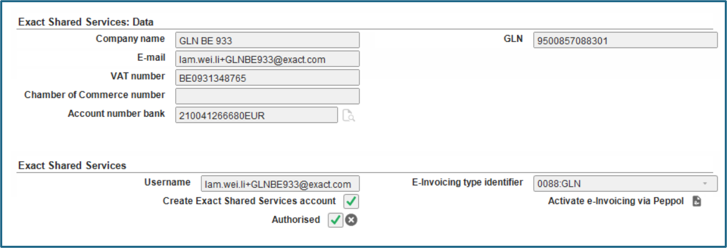
Define the fields under the Exact Shared Services: Data section including the GLN.
-
Create a user at Username and select the Create Exact Shared Services account checkbox.
-
Click the X icon at Authorised to authorise the account.
-
Type "0088:GLN" at E-Invoicing type identifier.
-
Click the icon at Activate e-Invoicing via Peppol to start the subscription.
-
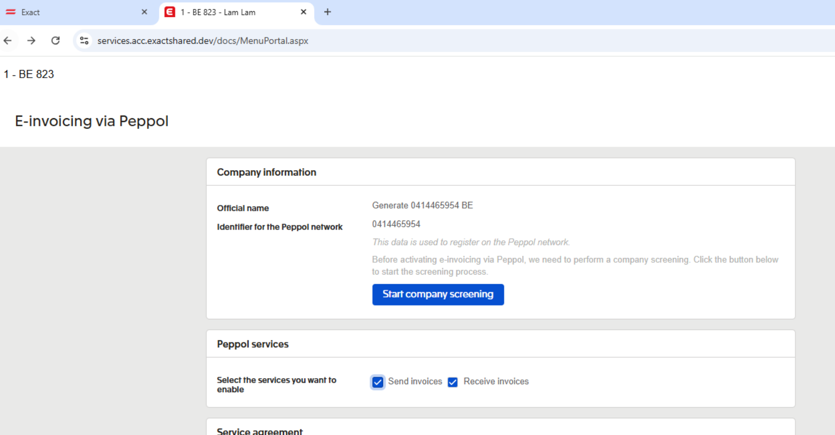
Complete the company screening.
-
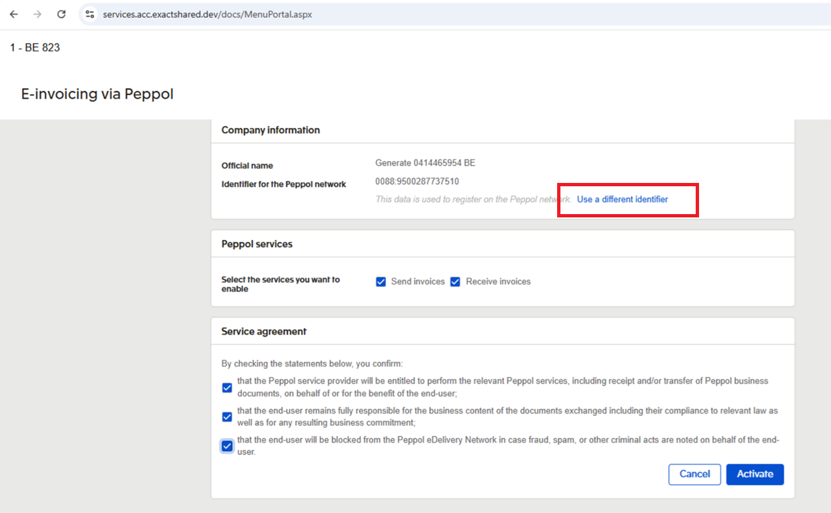
The subscription is always defaulted to the VAT number. Click Use a different identifier if you want to change the subscription to use the GLN.
-
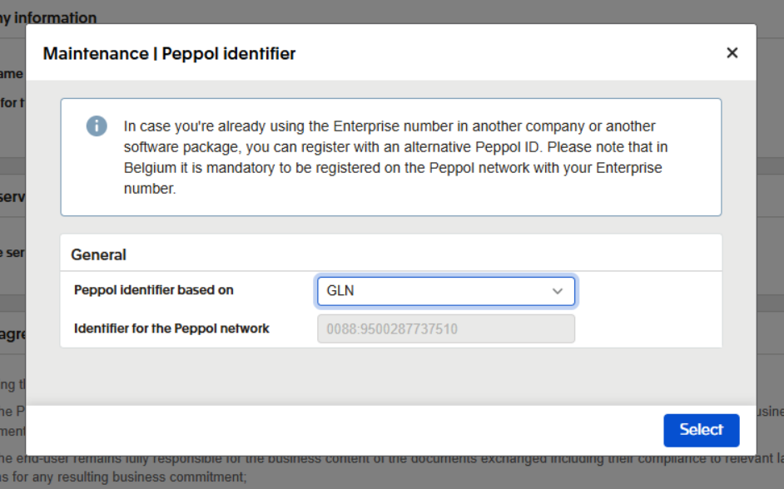
Select GLN at Peppol identifier based on.
-
Continue with the rest of the subscription steps.
| Main Category: |
Attachments & notes |
Document Type: |
Online help main |
| Category: |
|
Security level: |
All - 0 |
| Sub category: |
|
Document ID: |
33.241.136 |
| Assortment: |
Exact Globe+
|
Date: |
26-08-2026 |
| Release: |
|
Attachment: |
|
| Disclaimer |