Product Update 409: Generation of official receipts and payment vouchers enhanced (Malaysian legislation)
In this product update, the Voucher number and Receipt number fields have been added to the Financial section in the Number settings screen at System ➔ General ➔ Settings.
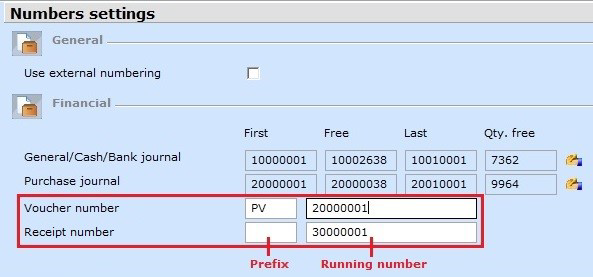
Once the settings have been defined, the system automatically assigns a running number whenever a new official receipt or payment voucher is generated via Finance ➔ Entries ➔ Reports ➔ Official receipt and Finance ➔ Entries ➔ Reports ➔ Payment voucher. The number increments only after each final print. To reprint existing official receipts and payment vouchers with the same receipt or voucher numbers, go to CRM ➔ Entries ➔ Documents.
The examples of the receipts and vouchers after the enhancement are displayed in the following:
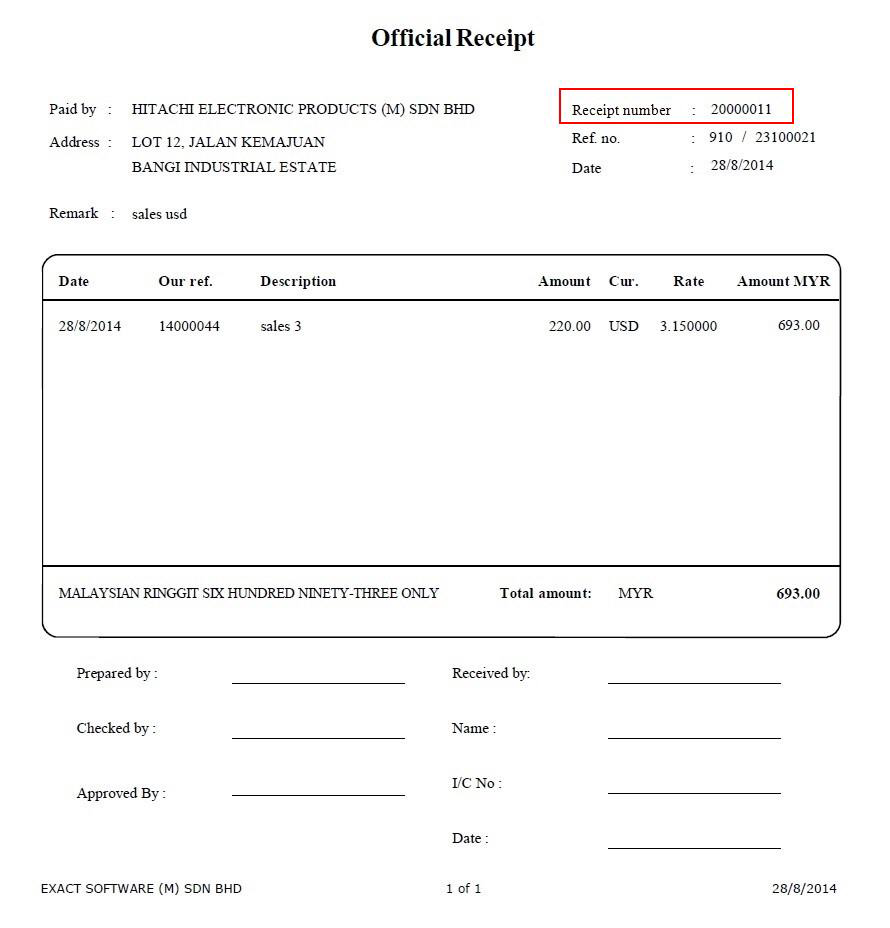
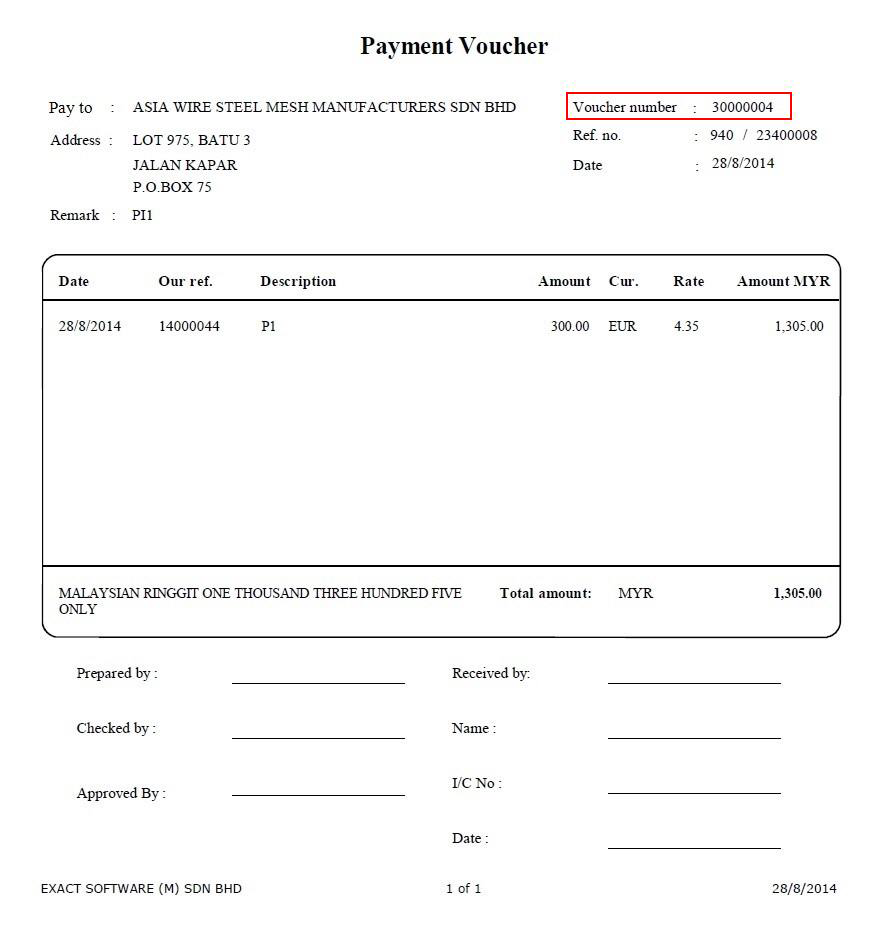
Note that only one running number will be assigned for each of the official receipts and payment vouchers of every account created in each entry. Hence, if a payment is made to two different accounts with two invoices, the system will generate two payment vouchers, each containing a different voucher number and description of the matched invoice. As these vouchers are printed in a single attachment at one go, it is advisable to print them for a single account instead of a range of accounts at a time. This way, when there is a need to reprint existing vouchers, you can do it only for the intended account and not for the rest of the accounts that fall in the specified range.
In cases where the unpaid amount does not match with any open invoices but tallies with the write-off options (such as payment differences, prepayments, refunds), the official receipts or payment vouchers will be generated with the write-off lines.
| Main Category: |
Support Product Know How |
Document Type: |
Release notes detail |
| Category: |
Release Notes |
Security level: |
All - 0 |
| Sub category: |
Details |
Document ID: |
26.063.017 |
| Assortment: |
Exact Globe
|
Date: |
15-01-2015 |
| Release: |
409 |
Attachment: |
|
| Disclaimer |